LAN profile
Kiosk-friendly. Business reads (rooms, reservations, absences…) stay available without login where route policy allows — ideal inside the site firewall.
Book rooms, approve leave, welcome visitors, and power lobby TVs — one modern OA platform staff actually enjoy using, on campus or on the factory floor.
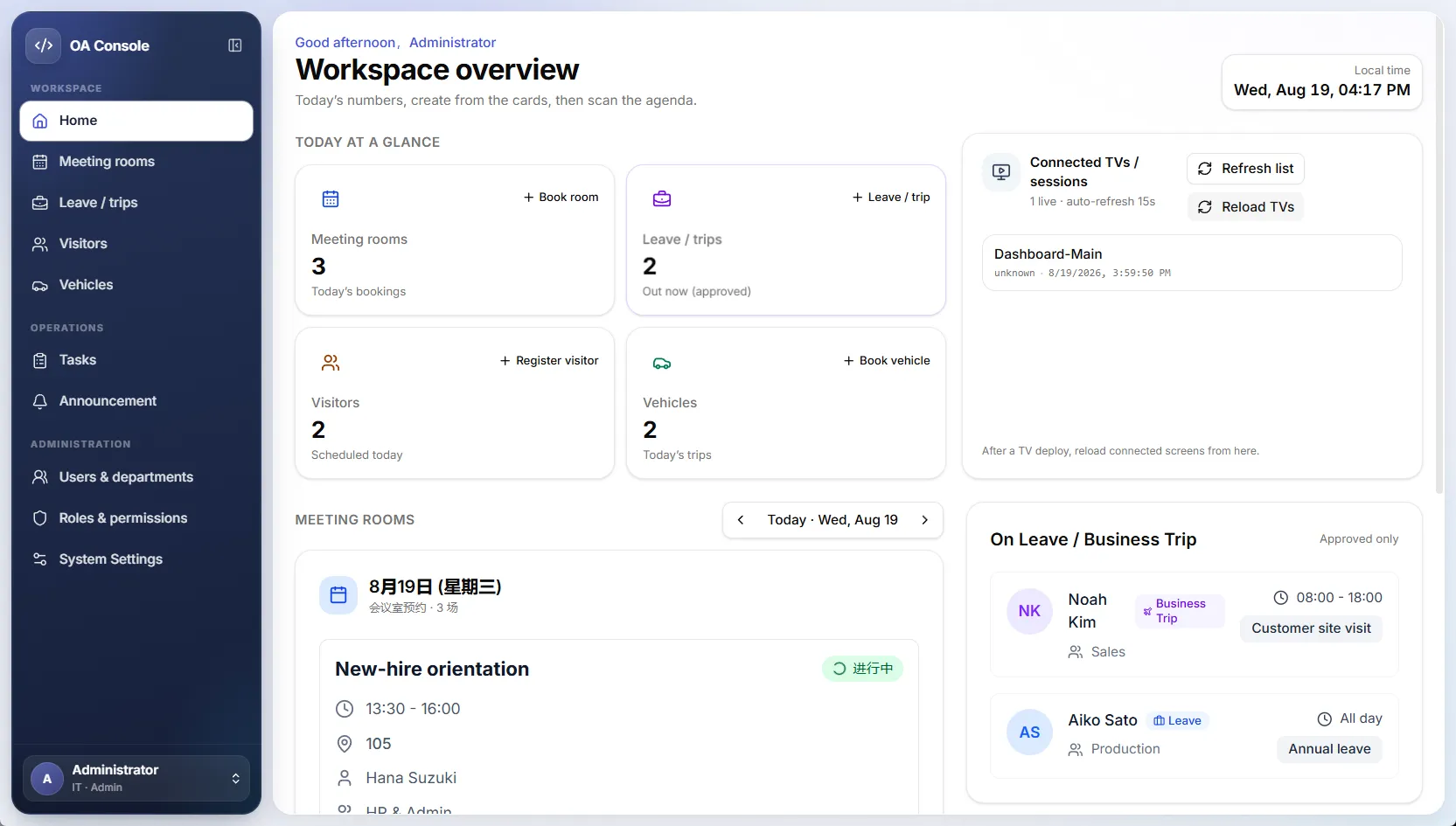
Console home
public/images/hero-console.webp
Features
From the front desk to HR and plant admin — modules that fit daily work, not generic corporate bloat.
Browse rooms, book multi-day slots, invite participants, and notify by email. Faculty meetings, customer reviews, and shop-floor huddles.
Staff submit leave or business trips with workflow approvals, print-friendly forms, and a clear history for HR and department heads.
Register guests, assign hosts, and show a polished welcome screen — open days, audits, partners, and customer visits.
Reserve company or campus vehicles with destination, purpose, and driver details so logistics stay transparent.
Real-time rooms in use, absences, calendars, and notices on hallway screens — keep the site in sync without email spam.
Departments, RBAC, feature access, notices, email SMTP, and optional modules — tuned for IT and admin offices.
Industries
Lightweight enough for a single site, structured enough for multi-building schools, factories, and companies.
On the office or campus network, staff and lobby devices can use open read access for rooms and schedules — great for shared tablets and TVs.
Flip to Internet security profile to require sign-in for almost every API and console route. Remote admins stay safe without redesigning the app.
Approvals, participant invites, and department managers map to how schools, plants, and offices already work — not abstract tickets.
Turn on design renew, new-product schedules, or BOM tools only when your factory or product team needs them.
Security
One deployment, two edges. Auto-detect private hosts or force LAN / Internet profiles for demos and production.
Kiosk-friendly. Business reads (rooms, reservations, absences…) stay available without login where route policy allows — ideal inside the site firewall.
Force console login and API session checks. Public feature policies elevate to authenticated so site openness never leaks to the public URL.
Gallery
Console home
public/images/hero-console.webp
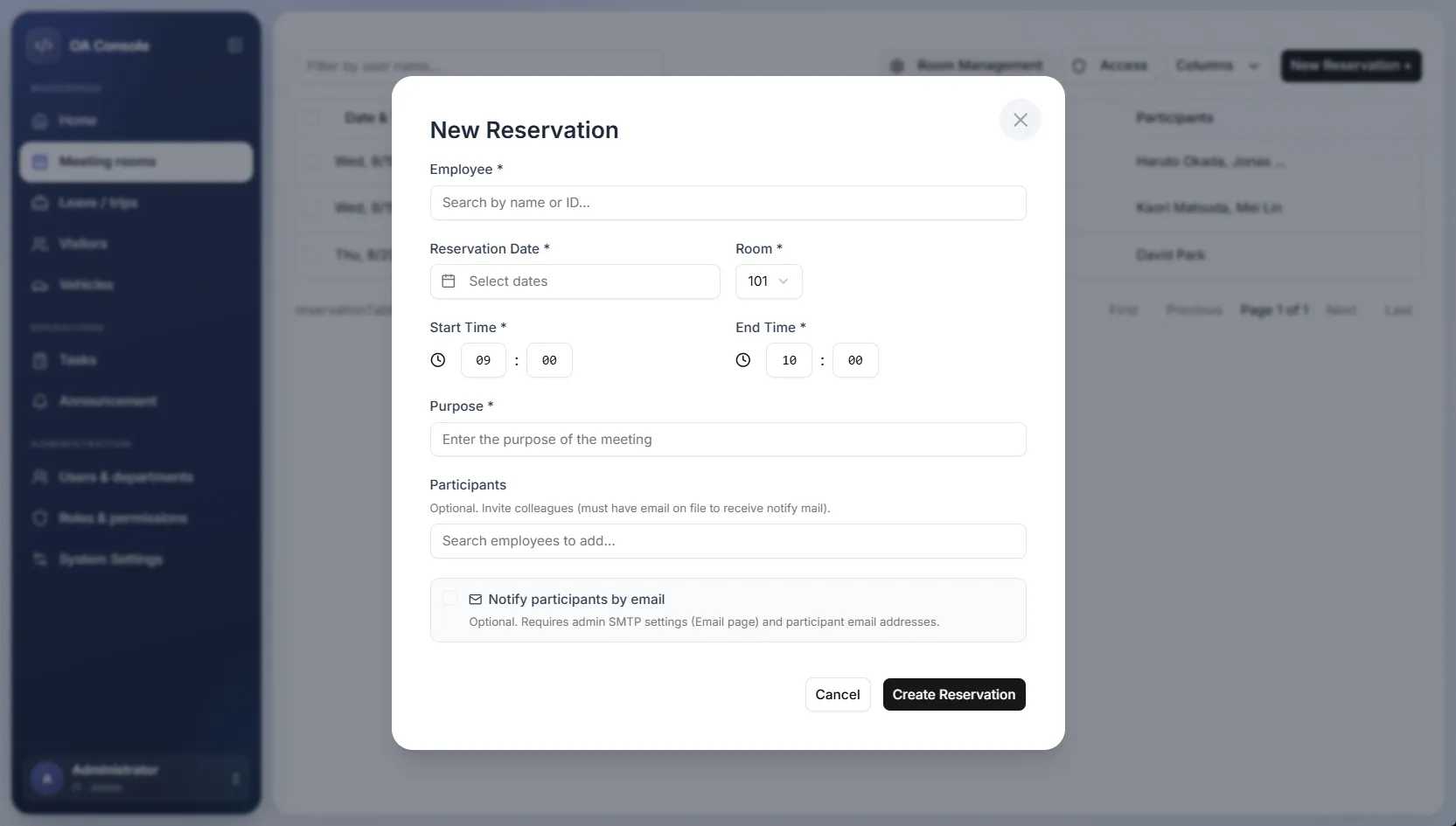
Room booking
public/images/feature-rooms.webp
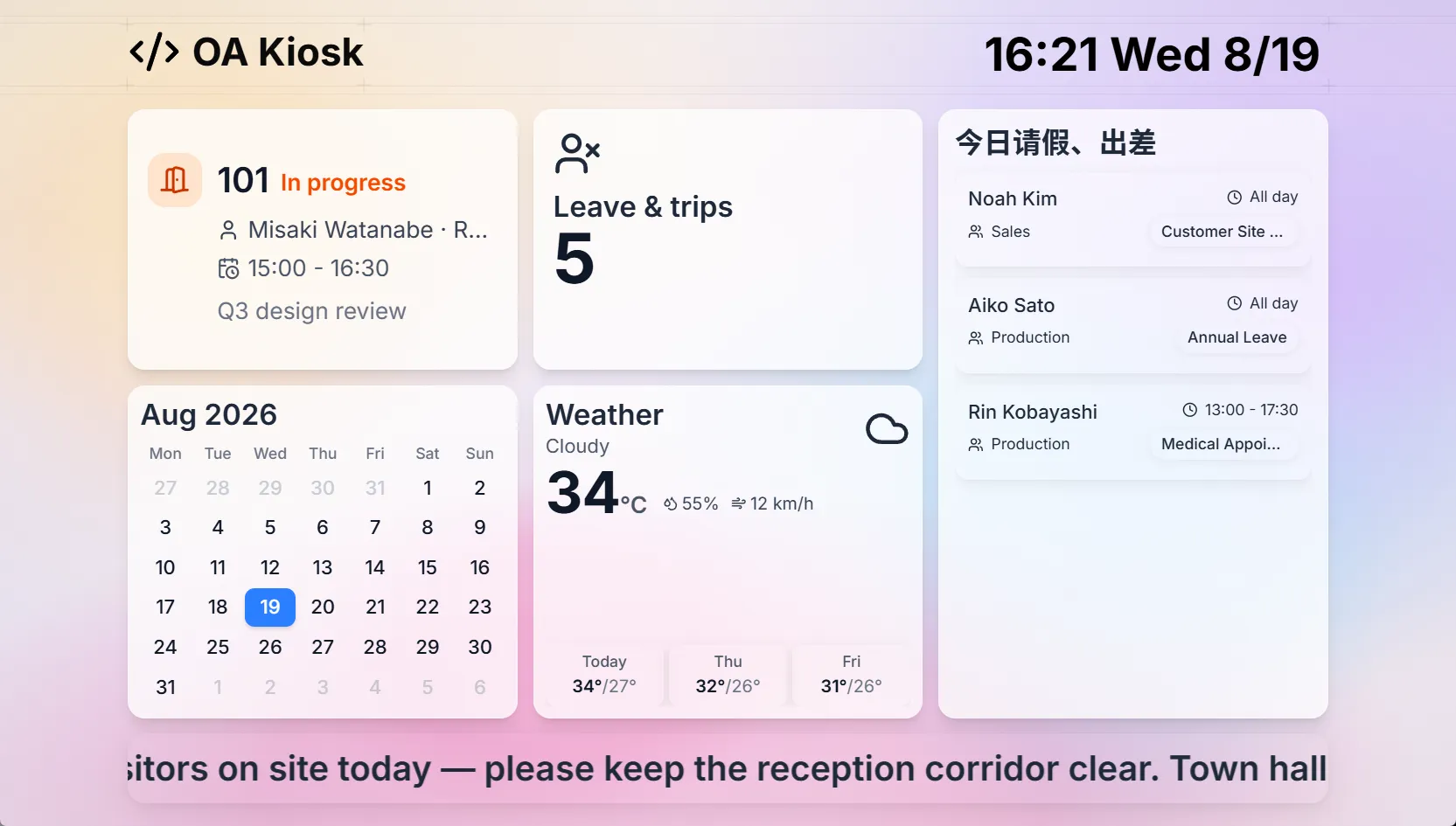
TV dashboard
public/images/feature-tv.webp
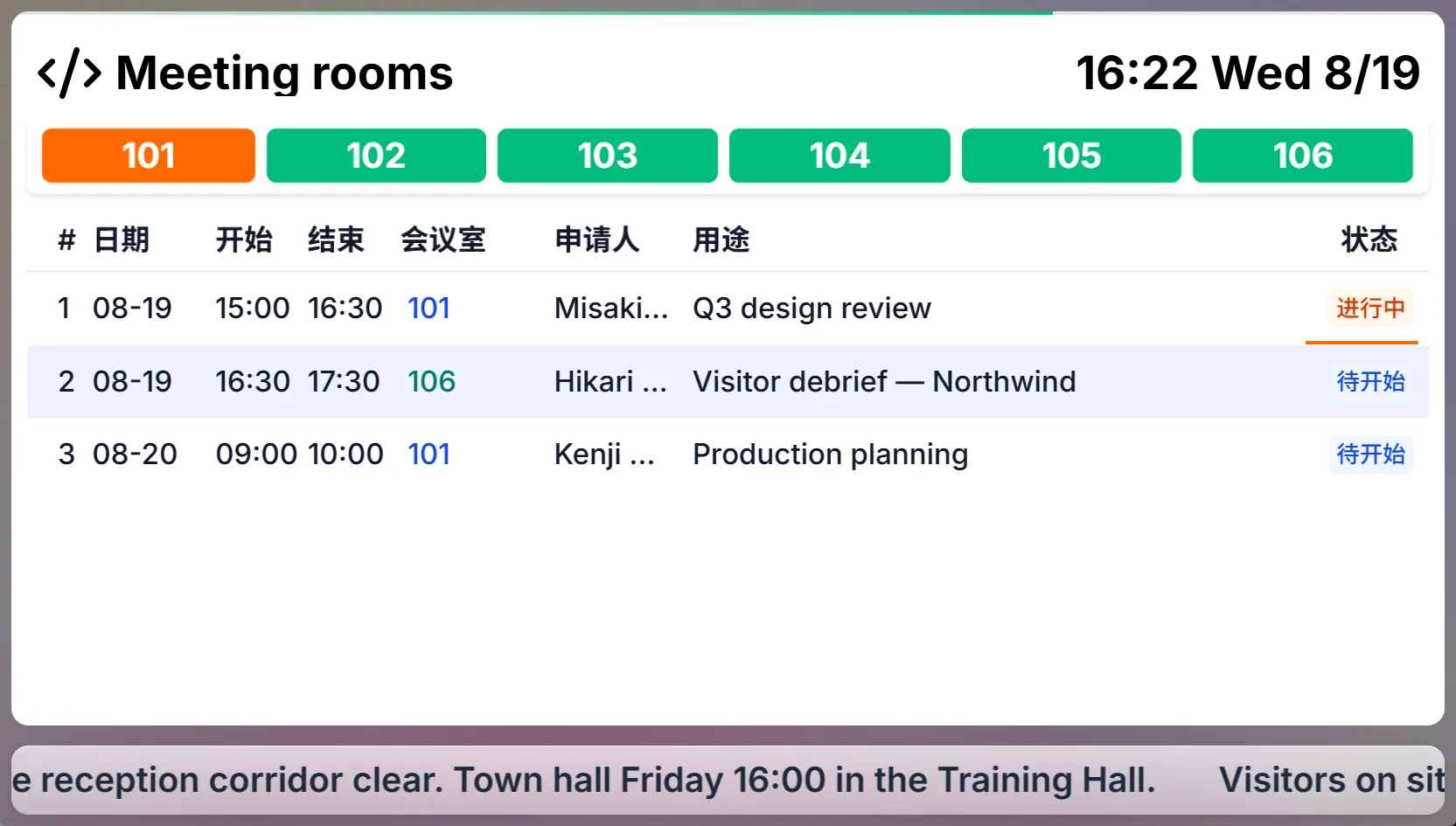
Visitor welcome
public/images/feature-visitors.webp
Run API + console + TV dashboard on your LAN. Seed rooms, departments, and staff.
Point hallway TVs at the dashboard. Reception uses visitor welcome and room calendars.
Set feature policies, SMTP, and Internet security when managers need off-site access.
Start with meeting rooms and leave — expand to visitors, vehicles, and lobby TVs when you’re ready.